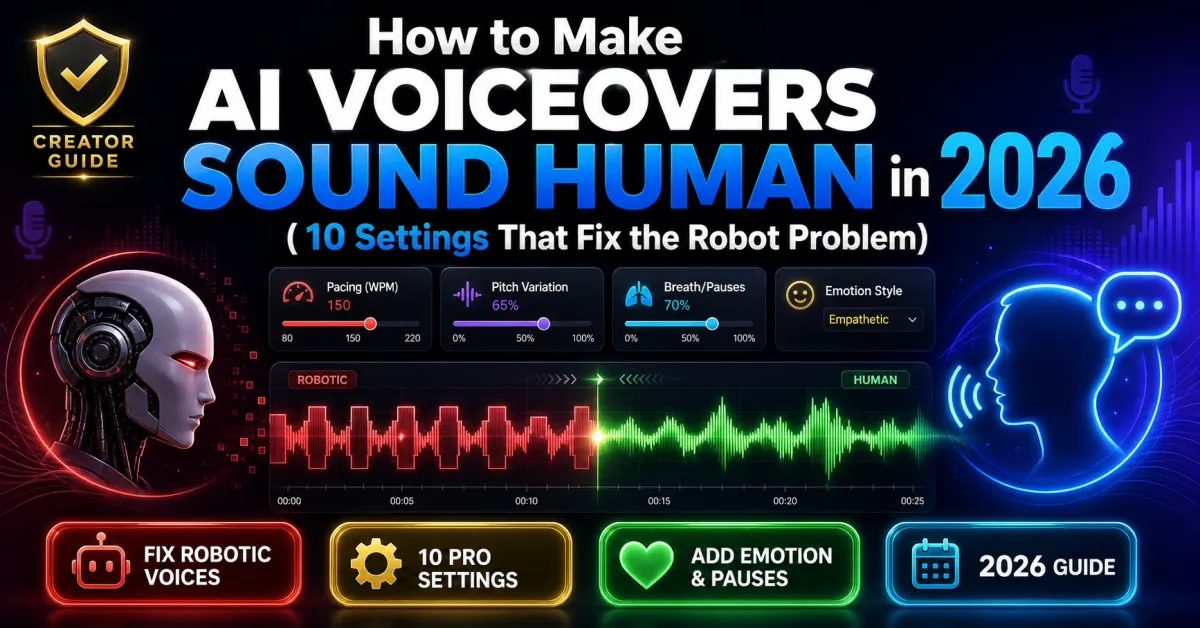
How to Make AI Voiceovers Sound Human in 2026 (10 Settings That Fix the Robot Problem)
Here's the uncomfortable truth nobody selling AI voice tools wants to admit: most AI voiceovers fail in the first five seconds.
Not because the voice itself is bad. The models are extraordinary now — some test results put them at near-human parity in blind listening studies. The failure happens because creators paste a script, hit "generate," and ship the output without touching any of the settings that actually make a voice sound human.
I've spent the last two years inside this problem. Echovox Studio runs on AI voice every day, and we've watched thousands of creators move from flat, robotic narration to voiceovers that hold viewers for ten minutes straight. The difference is rarely the tool. It's almost always 10 small settings that nobody reads about until their retention curve looks like a cliff.
This guide is the playbook. No fluff, no software pitch in every paragraph. Just the exact settings, examples, and fixes you can apply today — whether you use Echovox, ElevenLabs, Murf, or anything else.
TL;DR — The 5-second test for AI voice
If a viewer can identify your voice as AI within the first five seconds, your retention is already cooked. The fix is not switching tools. It is fixing pacing, breath placement, sentence structure, voice-to-content match, and emphasis. The 10 settings below cover all of it.
Why most AI voiceovers still sound robotic in 2026
The models have gotten better. The defaults haven't.
Listeners detect unnatural prosody within roughly 200 milliseconds of speech onset, and that detection triggers a quiet cognitive dissonance that builds throughout the video. After about 90 seconds of flat narration, a measurable share of viewers exits without consciously knowing why.
So when a creator says "the AI voice killed my retention," they are usually right — but the voice itself is rarely the problem. The problem is one of these four things:
- The script was written like a blog post, not like speech. Long sentences, no rhythm, no breath room.
- No prosody control was applied. No pauses, no emphasis, no rate variation.
- The wrong voice was chosen for the content. A dramatic narrator on a calm explainer. A whispery voice on a high-energy hook.
- The output was exported with default compression that flattens the voice.
Fix those four, and the voice stops sounding artificial. The 10 settings below are the practical version of each fix.
1. Match the voice to the content, not your taste
This is the setting nobody talks about because it isn't a setting in the technical sense — it's a casting decision. And it matters more than every other tweak combined.
Pick the wrong voice and no amount of SSML, pacing, or emphasis will save it. Pick the right voice and you'll be 60% of the way to natural already.
A simple framework that works:
- Tutorials and explainers: calm, confident, medium-paced narrators. Avoid dramatic or whispery voices.
- Story-driven and commentary content: more expressive voices that vary intensity between beats.
- News, finance, and analysis: neutral, professional, mid-paced voices with clear articulation.
- Hooks and short-form ads: higher-energy voices that punch through the first 1.5 seconds.
- Calm content (sleep, meditation, ASMR-adjacent): softer, slower, lower-pitched voices.
Test the same script in three different voices before you settle on one. Most creators skip this step and use whichever voice they liked first. That choice ages badly across 30+ videos.
2. Rewrite your script for the ear, not the page
If your AI voice sounds robotic, the first place to look is not the tool. It is the script.
Speech is structurally different from writing. Sentences are shorter. Ideas land in beats. Repetition exists for emphasis, not filler. A practical rule: if you cannot read a paragraph aloud at normal speed without running out of breath, your AI voice will struggle with it too.
Concrete script fixes:
- Break long sentences into 2-3 shorter lines. One main idea per sentence.
- Add line breaks where you would naturally breathe or change shots.
- Use sentence fragments. They feel human. AI does not.
- Start sentences with "And," "But," or "So" when it sounds right out loud.
- Cut filler phrases like "in today's digital landscape," "leverage cutting-edge solutions," or "it's important to note that." These corporate-tone phrases are a major reason AI scripts feel flat.
The single biggest improvement most creators can make happens here, before the voice even reads the first word.
3. Use the break tag for natural pauses (and stop overusing it)
Once your script is tight, you control rhythm with pauses. Most AI voice platforms support pause tags either explicitly (SSML break tags) or implicitly through punctuation and ellipses.
The simple rule: anywhere you'd take a breath if you were reading the script aloud, drop a pause. Anywhere you want the listener to sit with an idea, make the pause longer.
Useful starting values:
- 150-300ms: a tiny breath between clauses
- 400-500ms: natural breathing room between sentences
- 700-900ms: a beat after a punchline or a key statistic
- 1000-1500ms: a section transition
Watch for two common mistakes. First, over-pausing makes speech feel choppy and artificial — pauses should land at natural breath points like sentence ends, dramatic moments, or topic transitions, not every five words. Second, too many pause tags in a single generation can cause some engines to introduce audio artifacts or speed up the rest of the line. Use pauses with intent, not as decoration.
4. Add breath sounds for long-form content
Silent pauses are not the same as breaths.
For short content under 60 seconds, silent pauses are usually enough. For anything longer — explainers, narrations, audiobooks, podcasts — actual breath sounds make a significant difference. The brain reads breath as a human signal. Without it, even a well-paced voice starts to feel synthetic around the 90-second mark.
Most modern TTS platforms now support breath insertion either automatically (auto-breath modes) or through inline tags. Use both:
- Turn on auto-breath for long-form generation
- Manually insert breath tags before high-emphasis sentences
- Match breath length to emotional intensity — rapid breaths for urgency, slower breaths for calm or contemplative beats
The goal is not "lots of breaths." The goal is breaths that land in the same places a human narrator would naturally take them.
5. Use emphasis tags surgically (not everywhere)
Emphasis is how you "bold" a word in audio. The emphasis tag tells the engine to stress a word or phrase, subtly shifting pitch and volume the way a human speaker naturally would.
Without emphasis, AI reads every word at equal weight — and that uniformity is one of the loudest signals that a voice is artificial. Listen to any human narrator and you'll notice they only emphasize 5-10% of their words. The rest are delivered at baseline.
How to use emphasis well:
- Pick the 1-2 most important words per sentence. Mark them.
- Most platforms offer three levels: reduced, moderate, and strong. Use moderate for 80% of cases. Strong is for genuinely critical points or punchlines.
- Never emphasize more than 2-3 words in a single sentence. It cancels itself out.
- Apply emphasis to verbs and numbers more than adjectives — they carry more meaning.
Example:
- Without emphasis: "You need to back up your files every single day."
- With emphasis: "You need to back up your files every single day."
The second version sounds urgent. The first sounds like instructions read by a kiosk.
6. Vary your speaking rate by content type
Flat, constant-pace narration loses listeners faster than any other prosody mistake.
Most creators set one global speaking rate and never touch it again. The reality is that different content types — and even different sections inside the same video — demand different rates.
A working framework:
- Slightly faster (105-110%): list segments, simple explanations, light or fun content
- Baseline (100%): standard narration, transitions, mid-section summaries
- Slightly slower (90-95%): new concepts, complex steps, emotionally heavy lines, important statistics
- Significantly slower (85%): dramatic beats, big reveals, the moment right before a key insight
Apply rate changes per sentence or per block, not for the whole video. The variation itself is what makes the voice sound human, because that is exactly what human narrators do unconsciously.
7. Adjust pitch in small steps, never large ones
Pitch is the most over-tweaked control in AI voice generation. Creators move it 30% in either direction trying to "make it sound less robotic" and end up with a voice that sounds like a chipmunk or a giant.
Small steps. Always.
- Drop pitch 1-2 semitones for serious, weighty content
- Raise pitch 1-2 semitones for excited, light content
- For most content, leave pitch at default and rely on rate, emphasis, and pauses instead
If a voice sounds wrong at default pitch, the answer is almost never pitch adjustment — it's a different voice. Pitch should be your last lever, not your first.
8. Fix pronunciation before it embarrasses you
Mispronounced names, brands, acronyms, and technical terms break immersion instantly. They also pile up across a 10-minute video to a degree most creators don't notice until a viewer points it out.
Three ways to fix pronunciation, ranked from easiest to most precise:
- Spell phonetically. Type "Echo-vox" instead of "Echovox" if the engine is mispronouncing it. Crude but works.
- Use the say-as tag for acronyms, dates, and numbers. This forces the engine to interpret strings the way you intend them — letters spelled out, numbers as cardinals or ordinals, etc.
- Use phoneme tags for precise control. Most major engines support IPA (International Phonetic Alphabet) input through phoneme tags. This is overkill for casual creators but essential for educational, medical, and technical content.
Build a small pronunciation dictionary for your channel. Brand names, recurring guests, technical terms, and any word the engine consistently mispronounces. Reuse it across videos. Most platforms now save these as project-level or account-level dictionaries.
9. Use voice cloning ethically — and disclose it
Voice cloning has crossed a line in 2026. A 30-second sample is enough to clone your own voice and use it across hundreds of videos. The technology is genuinely useful: it gives faceless creators a consistent brand voice, helps multilingual creators reach new markets, and reduces production time by 80% or more for solo operators.
But two ethical guardrails matter:
- Clone only voices you have rights to. Your own voice. A voice actor who has signed a release. Never a public figure, celebrity, or competitor.
- Disclose AI voice use where required. YouTube now requires disclosure of altered or synthetic content under its labeling rules, and platforms like LinkedIn and TikTok are moving in the same direction. The disclosure does not hurt your distribution. Hidden synthetic content does.
Cloning quality matters more than quantity. A clean 30-60 second sample in a quiet room with a decent mic produces a far better clone than a 5-minute sample with background noise. Garbage in, garbage out applies harder to voice cloning than to almost any other AI task.
10. Export at the right settings — most creators get this wrong
You can do everything else right and still lose 20% of your voice quality at the export step.
Default export settings on many platforms are tuned for file size, not audio quality. The result is over-compressed audio that flattens dynamics, introduces artifacts in the high frequencies, and adds the subtle "synthetic" texture that listeners detect unconsciously.
Practical export settings for video voiceovers:
- Format: WAV or high-bitrate MP3 (320kbps minimum). Avoid 128kbps MP3 unless file size is genuinely critical.
- Sample rate: 44.1kHz or 48kHz for video. 22kHz exports will sound noticeably worse.
- Bit depth: 16-bit minimum, 24-bit preferred for editing headroom.
- Mono vs. stereo: mono is fine for voice and saves file size; stereo is only useful if you're applying spatial effects.
If your platform offers a "studio quality" or "high fidelity" export option, use it. The file is bigger; the voice sounds dramatically better.
How Echovox handles this for daily creators
Most of the settings above require you to learn SSML, manage breath tags, and tune prosody manually. That works if you're producing one video a week. It breaks down fast if you're publishing daily.
We built Echovox Studio specifically for the daily-creator problem. The 250+ voice library is matched to content types so casting is faster. Pacing, breath, and emphasis are exposed as visual controls instead of raw tags. Voice cloning takes a 30-second sample and works across English, Hindi, and several regional Indian languages. Long-form generation is supported natively, so you're not stitching 60-second clips together for an 8-minute YouTube video.
If you want to try the settings in this guide without juggling separate tools for script, voice, and video, Echovox has a free tier that includes everything mentioned here. No credit card required.
That said — every principle in this article works on any modern AI voice platform. The settings, not the software, are what matter.
A 60-second checklist before you publish your next AI voiceover
Before you hit upload, run your voiceover against this list:
- Did I cast the right voice for this content type?
- Did I rewrite long sentences into 2-3 shorter ones?
- Did I add pauses where a human would naturally breathe?
- Did I turn on breath sounds (or insert them manually) for long-form content?
- Did I emphasize 1-2 key words per sentence — no more?
- Did I vary speaking rate at least once per minute?
- Did I leave pitch at default unless I had a clear reason to change it?
- Did I fix any consistently mispronounced names or terms?
- Did I disclose AI voice use where the platform requires it?
- Did I export at studio quality, not default compression?
If you can answer yes to all 10, your voiceover will pass the 5-second test. And the 90-second test. And the 10-minute test, which is the only one that actually moves your retention curve.
Frequently asked questions
Why does my AI voice sound robotic even with a good tool?
Because the default settings on most platforms are tuned for speed, not realism. The voice model itself is usually fine. What's missing is pacing variation, natural pauses, breath sounds, emphasis on key words, and a script written for the ear instead of the page. Apply those five and most "robotic" output disappears.
Does YouTube penalize AI voiceovers in 2026?
YouTube does not penalize AI voices directly. It penalizes poor retention, low-effort templated content, and undisclosed synthetic media. A well-produced AI voice with disclosure performs the same as a human voice. A flat, undisclosed AI voice gets buried by the algorithm because viewers leave early — not because YouTube targeted it.
What's the best AI voice for YouTube long-form videos?
There is no single best voice. The best voice depends on your niche. For finance, tech, and explainer content, a calm professional narrator with mid-paced delivery works best. For story-driven or commentary content, a more expressive voice with intensity variation wins. The right test is to generate the same 60-second script in 3-4 candidate voices and pick the one that sounds least like AI to a listener who doesn't know it's AI.
How long should an AI voice sample be for cloning?
30-60 seconds of clean audio is enough for most modern cloning models. Longer samples don't help much beyond that point — quality matters far more than length. Record in a quiet room with a decent microphone. Read varied content (declarative sentences, questions, an exclamation or two) so the model captures your full range.
Do I need to disclose AI voice use on social platforms?
YouTube requires disclosure of altered or synthetic content where a viewer might believe something real happened that didn't. TikTok, Instagram, and LinkedIn have similar evolving rules. The safest practice in 2026 is to disclose AI voice use when it could mislead the audience, especially when the voice represents a real person. Disclosure does not reduce reach. Hidden synthetic content does.
Can I use AI voiceovers for monetized content?
Yes. Both YouTube's Partner Program and most other monetization systems explicitly allow AI-generated audio when it accompanies original, valuable content. The risk is not the AI voice. The risk is templated, low-effort content that uses AI as a shortcut instead of a tool. AI voice + thoughtful script + genuine insight is fully monetizable. AI voice + scraped content + zero added value is what gets demonetized.
Final thought
The gap between "AI voice that sounds robotic" and "AI voice that holds attention for 10 minutes" is not a tool gap. It's a settings gap, a script gap, and a casting gap.
Fix those three, and the voice you're using right now is probably already good enough.
If you want to put these settings into practice with a platform built for daily creators — trending topic discovery, scripting, 250+ voices, voice cloning, and end-to-end video — try Echovox Studio free. No credit card. The free tier includes everything you need to test the settings in this guide.
And if you've found your own voiceover settings that work, I'd genuinely love to hear them. Reply to this post or tag us — the best techniques in this space come from creators, not platforms.
About this article: Written by the Echovox Studio team based on testing across 250+ voices, two years of creator feedback, and current research from major TTS providers including Google Cloud TTS, Amazon Polly, ElevenLabs, and Microsoft Azure Speech. Last updated May 2026 to reflect 2026 platform disclosure rules and the latest voice model behavior.
If you want to put these settings into practice with a platform built for daily creators — trending topic discovery, scripting, 250+ voices, voice cloning, and end-to-end video — try Echovox Studio free. No credit card. The free tier includes everything you need to test the settings in this guide.