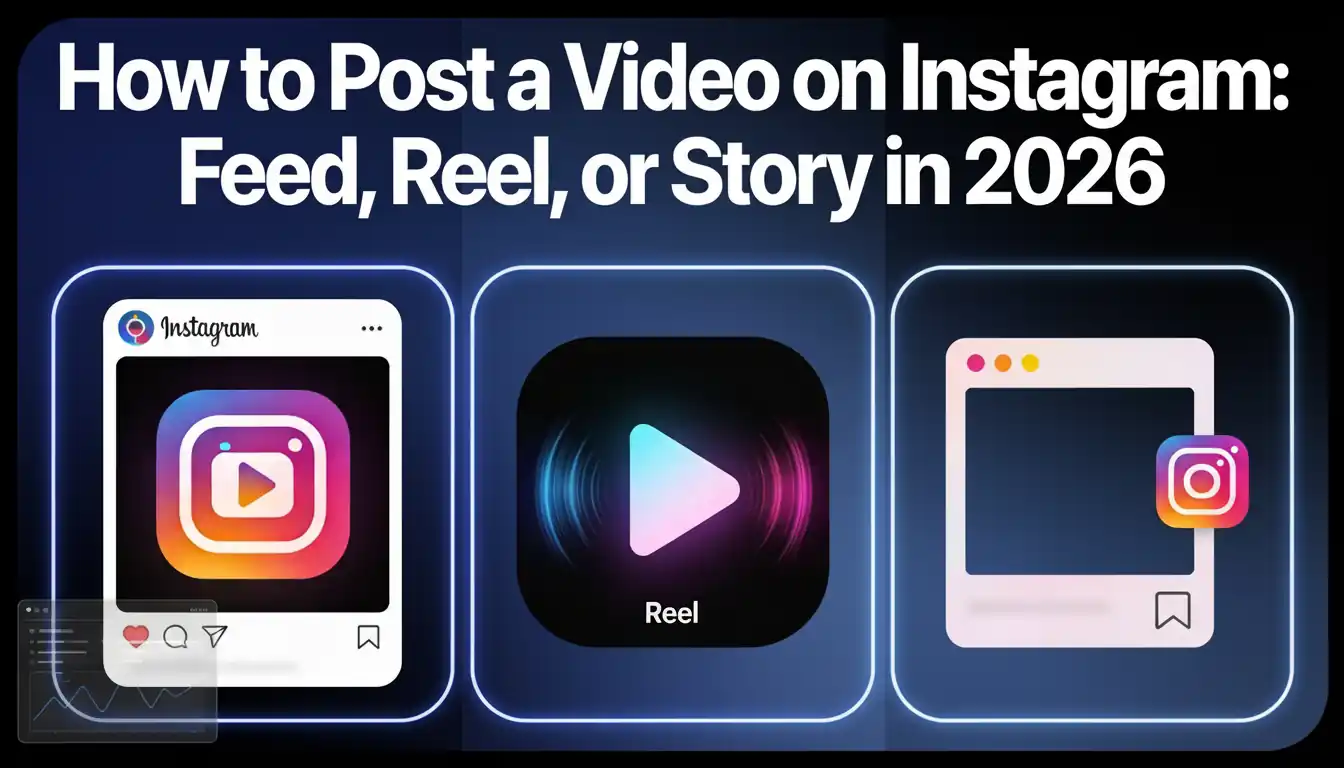
How to Post a Video on Instagram: Feed, Reel, or Story in 2026
Last Updated: February 2026 | Reading Time: 15 min
You just finished a video. Maybe it's a product walkthrough you shot on your phone. Maybe it's a talking-head tip you recorded after your morning chai. Maybe it's a faceless explainer with voiceover that you put together in twenty minutes.
You open Instagram. And then — the freeze.
Should this be a Reel? A feed post? A Story? Will it get reach if I don't add trending audio? Is 4:5 still better than 9:16? Why does the quality look terrible after uploading?
If this sounds familiar, you're literally one of millions. India is now the world's largest Instagram market — over 470 million users and climbing. That's more than the US and Brazil combined. And most of these users are consuming video content daily.
The opportunity is enormous. But only if you actually know how to use the platform.
This guide is the one I wish I had when I started. It covers every format, every spec, every hack — and more importantly, the thinking behind each decision. Whether you're a coaching business in Indore, a D2C brand in Surat, or a solo creator building an audience from your bedroom in Patna — let's get you posting with confidence.
The Real Reason You Need to Be Making Video Content
Let me be blunt: if your Instagram strategy in 2026 still revolves around static carousel graphics and motivational quote posts, you're playing an old game.
Instagram's own data shows that Reels now account for roughly 40% of all time spent on the platform. The algorithm isn't subtle about its preferences — video content gets pushed to the Explore page, suggested to non-followers, and rewarded with reach that photo posts simply can't match anymore.
But beyond algorithm talk, there's a more human reason to create video.
Video builds trust faster than any other format.
Think about the creators or businesses you follow. Chances are, you feel like you "know" the ones who show their face, talk directly to camera, or walk you through something in their own voice. That feeling of knowing someone — parasocial connection, if you want the psychology term — is what turns followers into customers, students, clients, fans.
This is especially true in India's tier-2 and tier-3 markets, where personal trust still drives most purchasing decisions. A 60-second video of you explaining your product in Hindi, showing your workspace, or sharing a genuine customer story does more heavy lifting than a month of designed posts.
And here's what nobody tells you: you don't need a studio, a DSLR, or even to show your face. Some of the highest-performing Reels on Indian Instagram are faceless — screen recordings with voiceover, text-on-screen explainers, storytelling videos with stock visuals and AI-generated narration. The barrier to entry has never been lower.
The only barrier left is actually hitting "post." So let's fix that.
Understanding Instagram's Three Video Formats
Instagram gives you three distinct ways to share video. Each serves a different purpose, reaches a different slice of your audience, and has different rules. Picking the wrong format for the wrong content is one of the most common mistakes creators make.
Reels — Your Growth Engine
Reels are Instagram's short-form vertical video format and, in 2026, the single most important feature on the platform for organic growth. They can now be up to 3 minutes long (some accounts can upload even longer), and Instagram actively distributes them to users who don't follow you — via the Reels tab, Explore page, and suggested content in the home feed.
Think of Reels as your storefront window. It's how strangers discover you.
Technical specs:
- Resolution: 1080 x 1920 pixels (9:16 aspect ratio)
- Format: MP4, H.264 codec, AAC audio
- Length: Up to 3 minutes (some accounts up to 15-20 minutes via upload)
- Max file size: 4 GB
- Caption limit: 2,200 characters
Best for: Educational tips, trending content, product demos, quick tutorials, storytelling, opinion pieces, before-and-after transformations.
Feed Videos — Your Portfolio
Feed videos are the permanent residents of your profile grid. They support multiple aspect ratios — from 1:1 (square) to 4:5 (portrait) to 16:9 (landscape) — and can run up to 60 minutes for verified accounts. Unlike Reels, feed videos don't get as much algorithmic push to new audiences, but they serve a critical purpose: when someone visits your profile after seeing a Reel, feed videos are what convince them to follow.
Technical specs:
- Resolution: 1080 x 1350 pixels (4:5 portrait recommended — takes up maximum screen space)
- Format: MP4 or MOV
- Length: Up to 10 minutes (mobile), up to 60 minutes (desktop/verified)
- Max file size: 650 MB (<10 min) or 3.6 GB (longer)
- Frame rate: Minimum 30 FPS
Best for: Detailed tutorials, testimonials, course previews, long-form storytelling, portfolio pieces, interviews.
Stories — Your Daily Touchpoint
Stories are the most casual, most personal, and most underutilised format. They disappear after 24 hours (unless saved as Highlights), and they only reach your existing followers. But that's exactly their superpower — Stories keep your current audience warm. They're how you stay top-of-mind between Reels.
Technical specs:
- Resolution: 1080 x 1920 pixels (9:16)
- Length: Up to 60 seconds per clip (auto-split into 15-second segments)
- Format: MP4 or MOV
- Interactive features: Polls, Q&As, quizzes, links, countdowns, music, location tags
Best for: Behind-the-scenes glimpses, quick updates, sharing new Reels/posts, polls and questions, link sharing, flash sales, day-in-the-life content.
The Decision Framework
Stop overthinking which format to use. Here's a simple rule:
- Creating content for people who don't know you yet? → Reel.
- Creating content that should represent you long-term? → Feed Video.
- Talking to people who already follow you? → Story.
- Maximum impact from one video? → Post as a Reel, share it to your Story with a poll or comment prompt, and let the best-performing ones live on your feed grid as pinned posts.
How to Post a Reel on Instagram (Step-by-Step)
Reels get the most love from the algorithm, so let's start here.
Step 1: Tap the "+" icon at the top right corner of your screen and select "Reel."
Step 2: Choose your content. You can record directly using the in-app camera (with timer, speed controls, alignment tools, and AR effects) or — what most serious creators do — tap the gallery icon to upload a video you've already shot and edited on your phone or desktop.
Step 3: Trim and arrange. Use the trimming bar at the bottom to cut your video precisely. You can adjust speed from the left sidebar. Tap "Add." If your clip is under 3 minutes, Instagram lets you add additional segments to build a sequence. When you're done adding clips, tap "Next."
Step 4: Layer in the extras. Add trending audio, captions (non-negotiable for reach — more on this later), text overlays, stickers, and effects. The in-app caption generator works decently for English but often stumbles on Hindi, Hinglish, and regional languages — double-check and manually correct if needed.
Step 5: Write a strong caption and post. Choose a compelling cover image (this is your thumbnail — it determines whether people tap on your Reel from your grid), write a caption that adds context or a CTA, add 3-5 relevant hashtags, tag collaborators, set your location, and hit "Share."
A note on voiceovers: If your Reel is a narrated explainer — say a finance tip, a recipe walkthrough, or a product comparison — the voiceover quality matters more than the visuals. A noisy, echoey voiceover recorded on a phone speaker in your living room will kill watch time. You have two options: invest in a basic ₹500 lapel mic, or use an AI voiceover tool to generate clean narration from your script. Platforms like Echovox Studio are particularly useful here — you can type your script, pick from 250+ voices (including natural-sounding Hindi, Tamil, Telugu, and other Indian language voices), and it generates a studio-quality voiceover in minutes. They've even got voice cloning, so the AI narration can sound like you. For faceless Reels especially, this is a genuine time-saver.
How to Post a Feed Video
Feed videos are your profile's backbone — the content that stays.
Step 1: Tap "+" and select "Post."
Step 2: Select your video from your gallery. You can pick up to 10 photos/videos for a carousel.
Step 3: Adjust the frame. Double-tap the preview to toggle aspect ratios. Pro tip: 4:5 portrait takes up the most vertical screen real estate when someone scrolls their feed, so it tends to outperform square or landscape.
Step 4: Edit basics. Apply filters if desired, trim the video length, and toggle audio on/off.
Step 5: Add details. Choose a strong cover frame, write your caption, tag relevant accounts, add location, and decide whether to cross-post to Facebook.
Step 6: Share.
Quality warning: Instagram compresses everything. To keep your feed video looking sharp, export at 1080p with H.264 codec and a bitrate of at least 3,500 kbps before uploading. Uploading an already-compressed file (like a WhatsApp-forwarded video) means double compression, and it'll look noticeably worse.
How to Post a Story
Stories are where your personality lives. Keep them casual and frequent.
Step 1: Tap "+" and select "Story" — or just swipe right from your home feed.
Step 2: Record or upload. Tap the camera to shoot in real-time, or select from your gallery. Videos over 15 seconds auto-split into segments (up to 60 seconds total).
Step 3: Make it interactive. This is what separates boring Stories from engaging ones. Use poll stickers ("Which product should I launch next?"), question stickers ("Ask me anything about content creation"), quiz stickers, countdown timers for launches, and link stickers to drive traffic.
Step 4: Post. Tap "Your Story" for all followers, or "Close Friends" for a select group.
Step 5: Save the good ones. Pin your best Stories as Highlights on your profile. Think of Highlights as your profile's navigation menu — create categories like "About," "Products," "Reviews," "How-To," and "Behind the Scenes."
The Art of the Hook: Win in the First 2 Seconds
Let me share something that took me too long to learn: the quality of your hook matters more than the quality of your production.
Instagram users make a stay-or-scroll decision in roughly 1.5 seconds. That's not enough time for your logo animation, your "hey guys, welcome back," or your slow zoom into the scene. By the time you've said "so today I wanted to talk about…" — they're already watching someone else's Reel.
Here are hook structures that consistently stop the scroll, especially with Indian audiences:
The Painful Truth: "Aapko koi nahi batayega yeh Instagram hack" or "You're wasting time if you're still doing this." Name a specific pain your viewer has, right in the first sentence.
The Unexpected Outcome: Start with the result. "I made ₹47,000 from one Reel" or "This ₹200 mic changed my content quality." The curiosity gap — how? — keeps them watching.
The Direct Challenge: "I bet you don't know this feature" or "Most creators in India get this completely wrong." A light challenge triggers ego and curiosity simultaneously.
The Pattern Interrupt: Open with an unexpected visual or sound — a dramatic zoom, a slap cut, a weird prop, silence where there should be noise. Anything that doesn't look like the last 50 Reels they scrolled past.
The Mid-Action Start: Don't begin at the beginning. Start in the middle of the action. If you're cooking, start with the sizzle, not the ingredient list. If you're teaching, start with the insight, not the introduction.
One more thing: bilingual hooks work incredibly well in India. Starting in Hindi and switching to English (or vice versa) creates a natural pattern interrupt that mirrors how your audience actually thinks and speaks. Don't be afraid of Hinglish — it's not unprofessional, it's authentic.
10 Practical Hacks to Maximise Your Instagram Video Reach
1. The "first 30 minutes" rule. Immediately after posting a Reel, reply to every comment, respond to DMs, share the Reel to your Story, and engage on other accounts. This burst of early activity signals to the algorithm that your content is generating conversation. It matters more than you think.
2. Consistency beats virality. Post 3-5 Reels per week on a predictable schedule. The algorithm rewards accounts that post regularly — not accounts that post one banger and disappear for three weeks. If you're struggling to create that much content, consider batch-creating. Tools like Echovox Studio let you go from a trending topic to a fully produced video story — with AI script, voiceover, and visuals — in under 10 minutes. You could batch an entire week's worth of faceless Reels in a single afternoon.
3. Captions are not optional. Over half of Instagram users watch videos on mute. No captions = no message = no engagement. Burned-in captions (text embedded in the video itself) are the safest approach since they work regardless of the viewer's settings. For Hindi and regional language content, auto-captions are still unreliable — manually adding them (or using a tool that handles Indian languages properly) is worth the extra effort.
4. Hashtags: less is more. Instagram's own recommendation in 2026 is 3-5 focused hashtags, not 30 random ones. Use a mix: one broad (#ContentCreator), one niche (#JaipurBusiness or #HindiMotivation), and one content-specific (#InstagramTips2026). Skip the generic million-post tags where your content will drown.
5. Trending audio is a shortcut, not a strategy. Using trending sounds can boost discoverability, but slapping a trending song over generic content won't save a weak video. Use trending audio as a backdrop while delivering your own original value — that's the sweet spot where trend-riding meets authenticity.
6. Study your Insights ruthlessly. Every week, open Instagram Insights and answer three questions: Which Reel got the most reach? Which had the highest average watch time? Which drove the most profile visits? Then make more of what works and less of what doesn't. It's boring, it's unglamorous, and it's the single highest-ROI activity most creators ignore.
7. Post when your audience is awake. Check Insights for when your specific followers are online. For most Indian audiences, the sweet spots tend to cluster around 12-2 PM (lunch scrolling) and 8-10:30 PM IST (evening wind-down). But your data may differ — trust your numbers over generic advice.
8. Optimise your profile for the curious visitor. When a Reel performs well, strangers will visit your profile. What they see in those 3 seconds determines whether they follow. Your bio should answer: Who are you? Who do you help? What should they do next? Pin your 3 best Reels to the top of your grid. Make your Highlights work like a website's navigation bar.
9. Repurpose relentlessly. One strong piece of content can become three Instagram touchpoints: the full video as a Reel, a 15-second teaser clip for Stories (with a "watch full Reel" prompt), and the same video reposted as a feed post with a deeper caption. If the content is genuinely valuable, you can also adapt it with a different hook and repost it after 4-6 weeks. Most of your audience didn't see it the first time anyway.
10. Don't sleep on audio quality. Here's a hill I'll die on: viewers will forgive a slightly shaky phone camera. They will not forgive bad audio — echo, background noise, inconsistent volume, robotic voiceovers. Whether you're speaking to camera or adding narration over visuals, clean audio is the single cheapest way to make your content feel professional. A ₹500 lapel mic is the minimum investment. Beyond that, if you're doing voiceover-based content (especially in Hindi or regional languages), AI voiceover tools have gotten surprisingly good. The key is finding one that doesn't sound like Google Translate reading a Wikipedia article.
Troubleshooting: When Things Go Wrong
Video looks blurry after upload? Instagram compresses aggressively. Export your video at 1080p, 30fps, H.264 codec, AAC audio, and at least 3,500 kbps bitrate before uploading. Never upload a video that's already been compressed through WhatsApp or Telegram — that's double compression, and it looks terrible.
Upload fails or gets stuck? Check your file format (MP4 or MOV only), file size (under 4GB for Reels, under 3.6GB for feed), and internet connection. Switching from Wi-Fi to mobile data (or vice versa) sometimes unsticks frozen uploads.
Audio gets muted or removed? Your video likely contains copyrighted music. Use Instagram's built-in music library — those tracks are licensed for the platform. For original voiceover content, this isn't an issue. If you're building faceless content with narration, original audio is always the safest route.
Reel gets cropped and text is cut off? Instagram overlays its UI elements (username, caption, action buttons) over the top and bottom of your video. Keep all important content — faces, text, CTAs — within the central safe zone (roughly the 1080 x 1350 pixel area). Design for the centre, treat the edges as expendable.
Story looks choppy or pixelated? Close background apps, make sure you're on a stable connection, and keep Story video files under 250 MB. If you're uploading a high-resolution clip, trim it to the exact segment you need first.
The Content Creation Workflow That Actually Scales
Here's the honest truth most "how to post on Instagram" guides won't tell you: the posting is the easy part. The hard part is creating enough good content consistently, week after week, without burning out.
Most creators who quit don't quit because they couldn't figure out the upload process. They quit because they ran out of ideas on Wednesday, couldn't edit fast enough by Friday, and felt overwhelmed by Sunday. Sound familiar?
The fix isn't working harder — it's building a system.
Step 1: Find ideas that already have demand. Don't guess what your audience wants. Look at what's already working — trending topics in your niche, popular questions in comments, competitor Reels that are getting traction. A quick social search for what's trending in your space gives you a week's worth of proven angles.
Step 2: Script before you shoot. Even a 30-second Reel benefits from a rough script. Write your hook first. Then your key point. Then your CTA. You'll record faster, waste fewer takes, and your content will feel tighter.
Step 3: Batch your creation. Set aside 2-3 hours once a week to create all your content. Shoot multiple Reels in one sitting, record all your voiceovers together, and schedule everything. This is far more sustainable than creating one post every day in real-time.
Step 4: Use tools that compress the workflow. This is where the landscape has genuinely changed in 2025-26. If you're creating educational content, explainers, news commentary, or storytelling videos — you don't necessarily need to be on camera for every single piece. Echovox Studio is built around exactly this problem: you can discover trending topics, generate a script, convert it into a video story with AI voiceover and visuals, and have a publish-ready Reel in minutes. It supports multiple Indian languages and is designed for daily content creation — which is precisely the cadence Instagram rewards. The free tier is generous enough to test whether this kind of workflow fits your content style.
Step 5: Analyse and iterate. After every posting cycle, check what worked. Double down on the formats, hooks, and topics that performed. Cut what didn't. Growth on Instagram isn't about one lucky video — it's about compounding small improvements over weeks and months.
Frequently Asked Questions
Can I post a video on Instagram without it becoming a Reel?
Yes. When you tap "+" to upload, select "Post" instead of "Reel." Your video will live on your profile grid permanently and support longer durations (up to 60 minutes for verified accounts). That said, Reels get significantly more organic reach, so for most use cases, you'll want to prioritise the Reel format unless you specifically need a longer, permanent feed video.
What's the ideal Reel length in 2026?
For discovery and reach, 15-30 seconds is the sweet spot. Instagram's algorithm rewards videos that are watched to completion and replayed — shorter videos have a natural advantage here. However, don't artificially cut a video that genuinely needs 60 or 90 seconds. A well-structured one-minute Reel with high retention will outperform a rushed 10-second one every time. The rule is: earn every second.
Hindi, English, or Hinglish — what should I post in?
This depends entirely on your audience. For tier-2 and tier-3 Indian cities, Hindi or Hinglish content consistently outperforms pure English in engagement metrics. Many of India's top creators code-switch — Hindi voice with English text overlays, or English captions with Hindi narration. Test both approaches and let your analytics tell you what your specific audience prefers.
How often should I post?
Consistency over frequency. Three Reels per week on a predictable schedule will outperform ten Reels in one week followed by silence. Stories can (and should) be posted daily — they're low-effort and keep you visible. Feed videos can be weekly or bi-weekly.
Why do my videos look blurry after uploading?
Instagram compresses all uploads. Minimise quality loss by recording in 1080p at 30fps, exporting with H.264 codec at 3,500+ kbps bitrate, and uploading directly from your device's gallery — not from cloud storage or messaging apps which add their own compression layer.
How do I avoid copyright strikes on music?
Use Instagram's built-in music library for Reels and Stories — those tracks are platform-licensed. External music (even royalty-free tracks from YouTube Audio Library) can sometimes trigger false flags. For voiceover-based content, original audio is always the safest option.
Is it too late to start creating video content on Instagram?
Not even close. Instagram is actively expanding its video features and pushing Reels to new audiences. India's user base is still growing — projected at 5% year-over-year. The creators who start building a consistent video presence now will have a significant compounding advantage by 2027-28. The best time to start was a year ago. The second best time is today.
The Bottom Line
Posting a video on Instagram is mechanically simple — you tap a few buttons and it's live. The real skill is in choosing the right format for the right purpose, nailing your hook in the first two seconds, keeping your audio clean, and showing up consistently enough that the algorithm starts working for you instead of against you.
Use Reels to reach people who don't know you exist. Use feed videos to impress the ones who come looking. Use Stories to stay connected with the ones who already care.
You don't need expensive gear. You don't need to look perfect on camera. You don't even need to be on camera. What you need is a message worth sharing, a willingness to iterate, and the discipline to post regularly.
Your next Reel doesn't need to be a masterpiece. It just needs to exist.
Go hit that "+" button.
Building a daily video content habit on Instagram? Echovox Studio helps creators go from trending idea to published video story — with AI scripting, 250+ voices in Indian languages, and text-to-video generation — in minutes, not hours. Start for free at echovox.in.